Allied Solutions
Reimagined Custom Reporting
Experience Studio Project
Overview
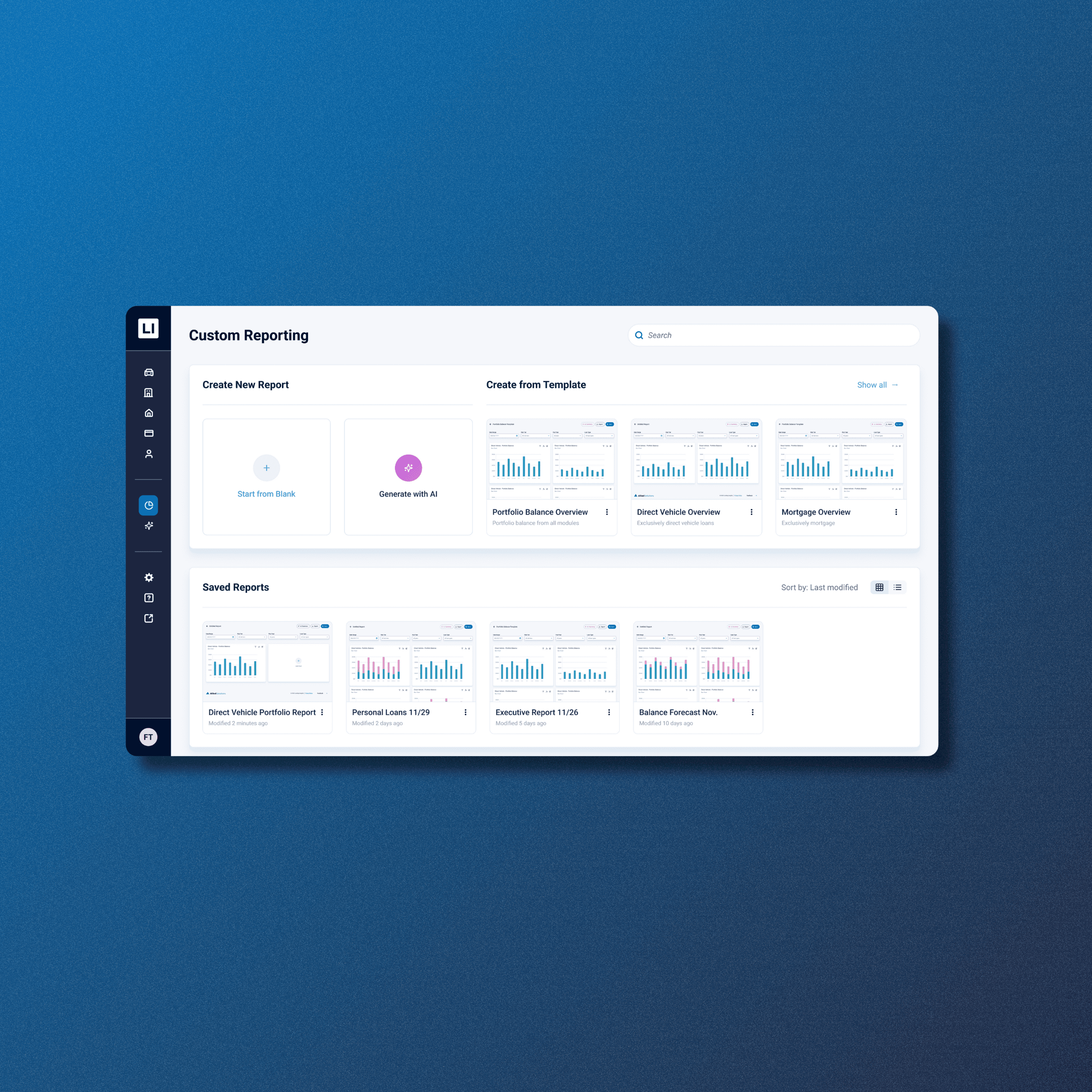
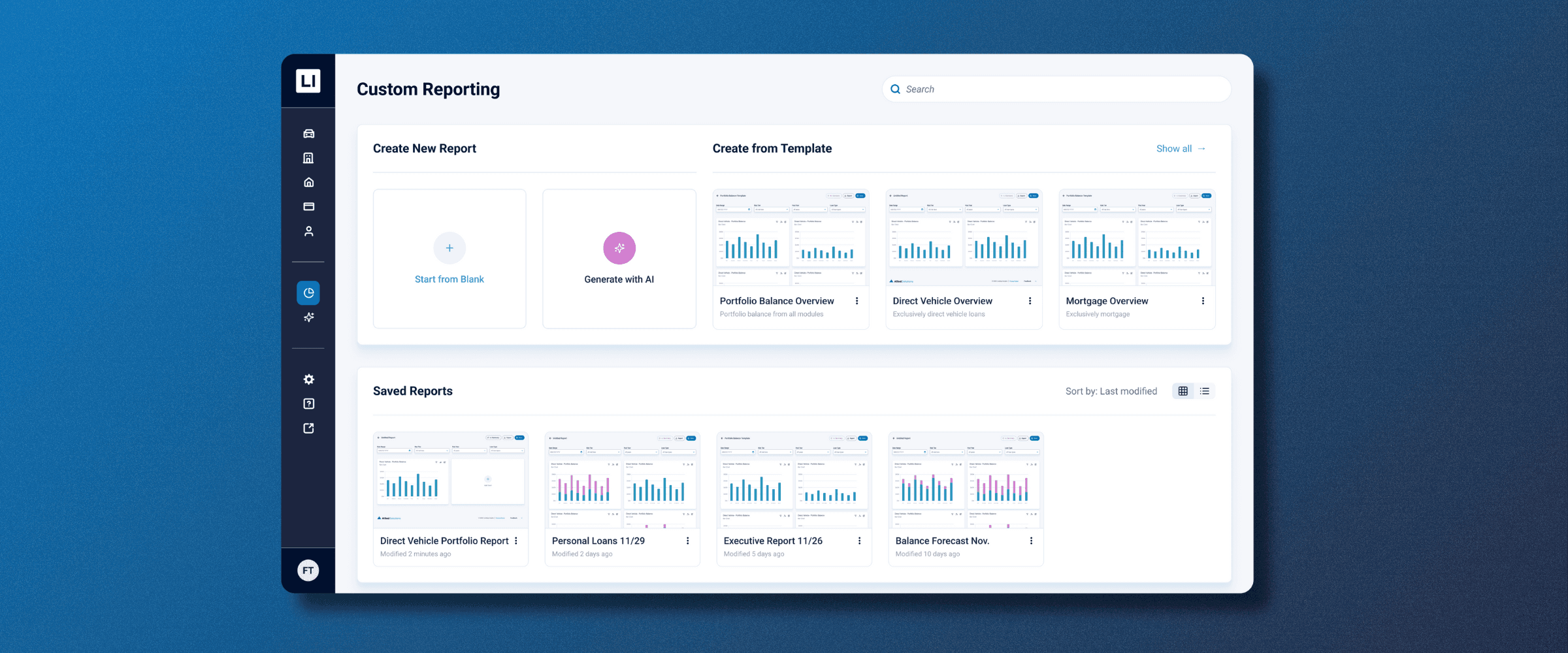
Allied Solutions provides a business intelligence platform called Lending Insights to credit unions. The "Legacy" custom reporting tool was so complex and unintuitive that clients couldn't use it. They were forced to call customer support just to generate basic monthly reports.
Our project team designed a modular, AI-enhanced reporting dashboard. By shifting from a manual list-based system to a drag-and-drop widget interface, we empowered users to build audit-ready reports independently and efficiently.
1.6x faster
Task completion time
40% less
Clicks per task
Timeline
Aug - Dec 2025
Key Areas
UI/UX Design, Research, AI tools, Prototyping, Usability Testing
Team
7 UX Designers
What is Custom Reporting?
Credit Unions
A credit union is a member-owned, non-profit financial cooperative that provides a variety of financial services including loans, mortgages, banking, and other services.
Lending Insights
Lending Insights is a Business Intelligence (BI) platform that provides data and insights for Credit Unions. It takes millions of data points to generate dashboards that answer critical questions like:
Are we approving too many risky loans?
Is a specific car dealership sending us bad loan applicants?
How is our portfolio performing compared to last year?
Custom Reporting
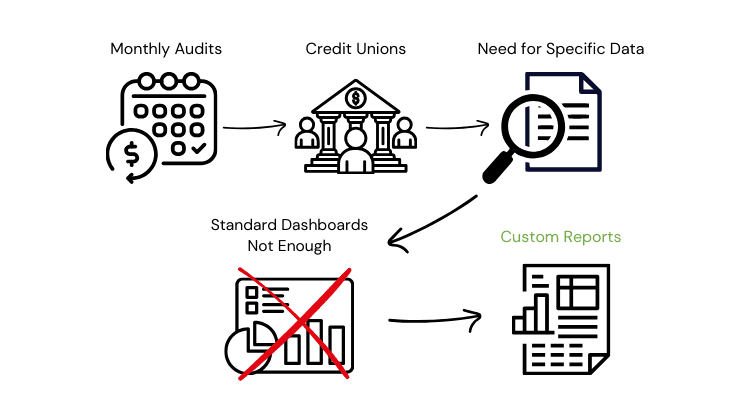
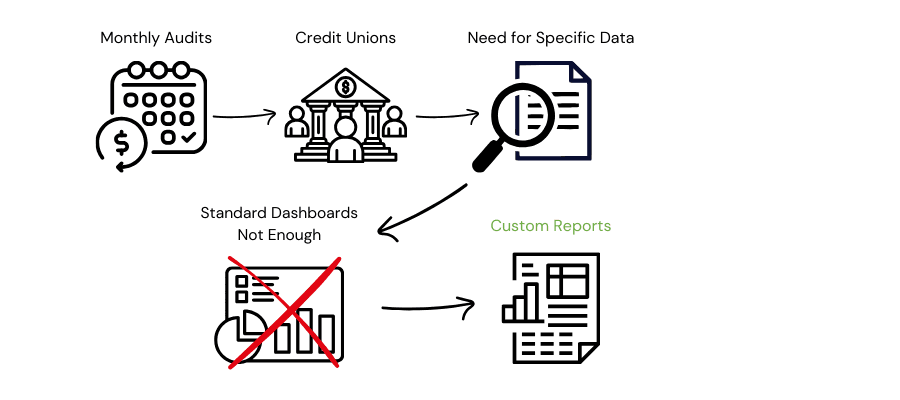
Standard dashboards aren't enough. Every month, Credit Unions face strict Audits. They need to present data in very specific ways to prove they are compliant and profitable. If they can't build these reports easily, their ability to manage risk is compromised.
Background
Current Custom Reporting Experience
To gain an initial understanding of the platform, I led a usability audit using Nielson's Usability Heuristics. I mapped out each violation and synthesized the findings to key areas to improve upon.
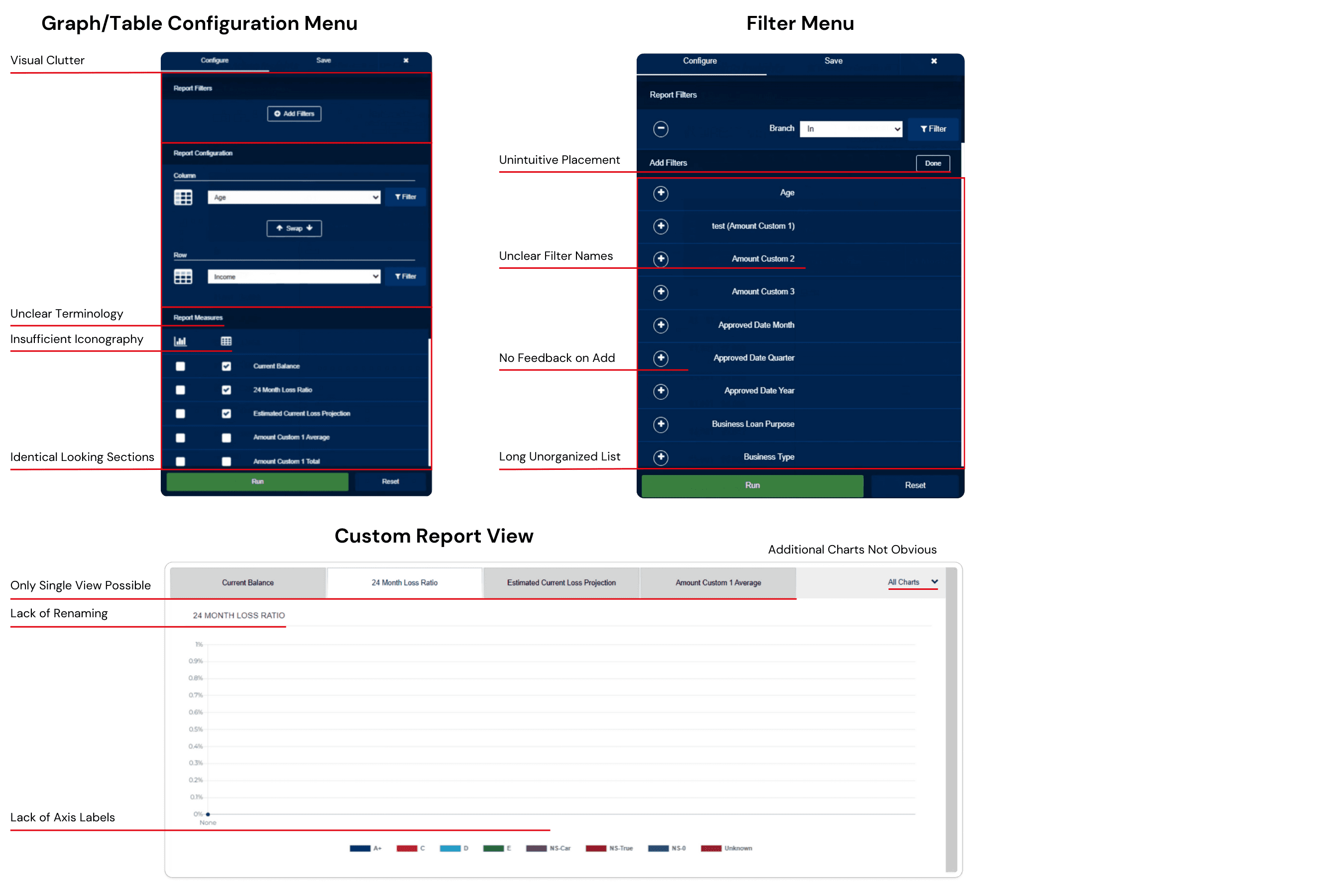
The current platform to create and view custom reports is clunky, outdated, and unintuitive. The key issues were:

Confusing Terminology
Ambiguous labels such as “Custom 10” made it unclear what certain functions do.

Unintuitive Workflow
Multiple complex functions control filters and actions on graphs/tables without feedback.

Missing Functionality
Users could not filter or search for graphs, nor create multiple charts of the same metric.
This leads to

Objectives
The audit revealed that the platform needed a complete refresh. The project objective is to reimagine the complex reporting process to an intuitive, effortless, & AI powered procedure.

Empower Self-Sufficient Reporting
Integrate AI & Transparency
Modernize Workflow and Interactions
Research
Process
01
Audit
I led a usability audit using Nielsen’s usability heuristics. I documented inconsistent terminology, missing functionality, non-responsive workflows, and unintuitive sequences.
02
Usability Testing
I conducted brief testing with 2 business students to think aloud while attempting tasks in the current system. Results highlighted confusion around navigation, filtering, and general workflow.
Key Insights
Across research activities, a few key opportunities emerged:
Simplify the workflow to reduce cognitive load
Ability to click, drag, and interact with the data directly on the dashboard, not in a separate menu
Strengthen clarity in navigation, configuration, and terminology
Introduce AI intentionally to guide users, produce summaries, and support decision-making
Ideation
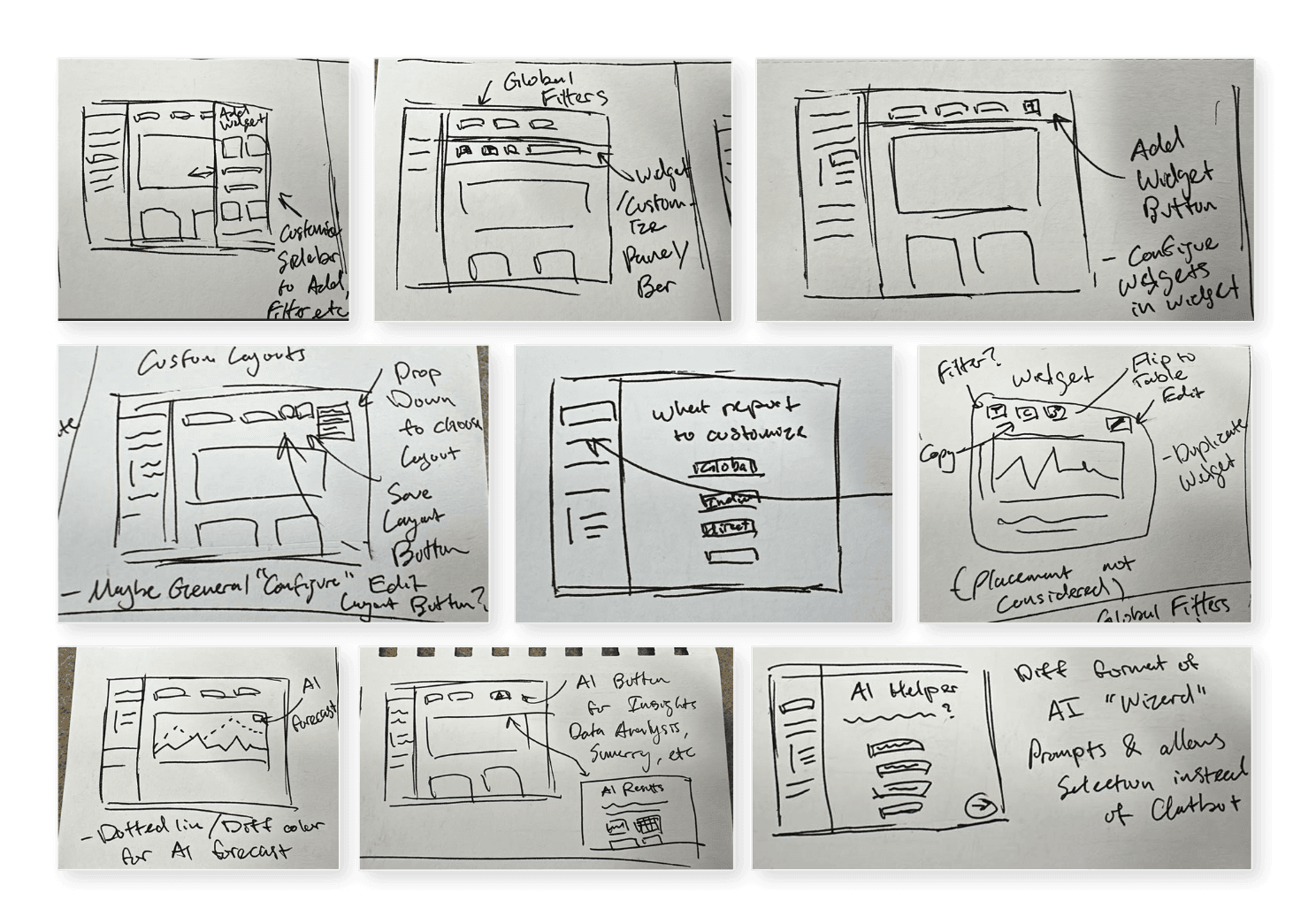
Sketches
The ideation phase began with sketching ideas for structure/layout, workflow features, and AI integration. My sketches are displayed on the right. These ideas were all based from the insights and opportunities identified in the research sprint.
AI-Assisted Prototyping
The Pivot (Figma Make)
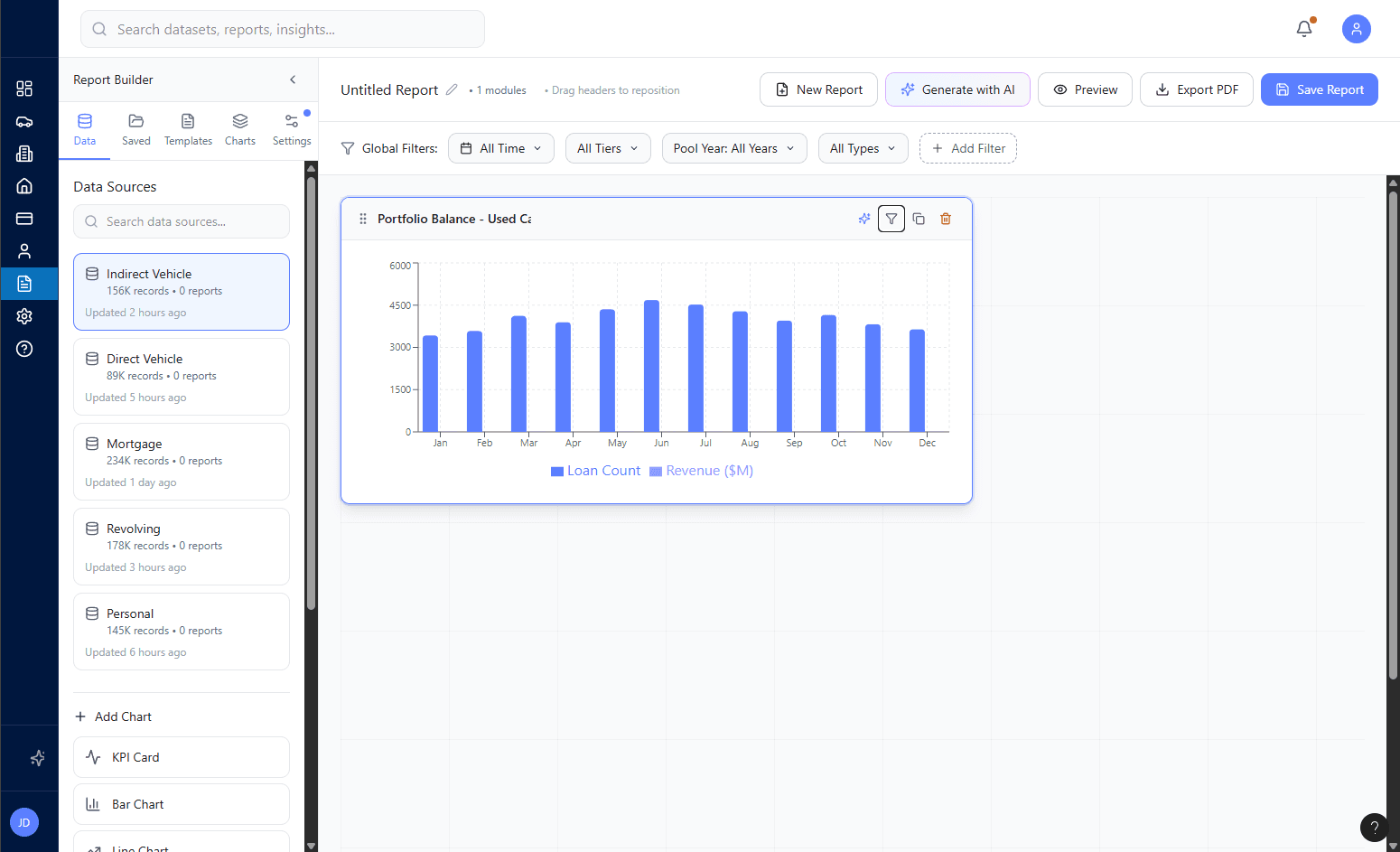
Initially, our team planned a slow progression from hand-created wireframes to mid-fidelity prototypes. However, I pioneered the idea to utilize Figma’s AI tool: Figma Make. This allowed the ability to quickly create full prototypes to get realistic feedback from stakeholders much earlier in the process. I developed one of two distinct approaches to the platform (1A) and tested them against each other.
Prototypes 1A & 1B
* Click to view *
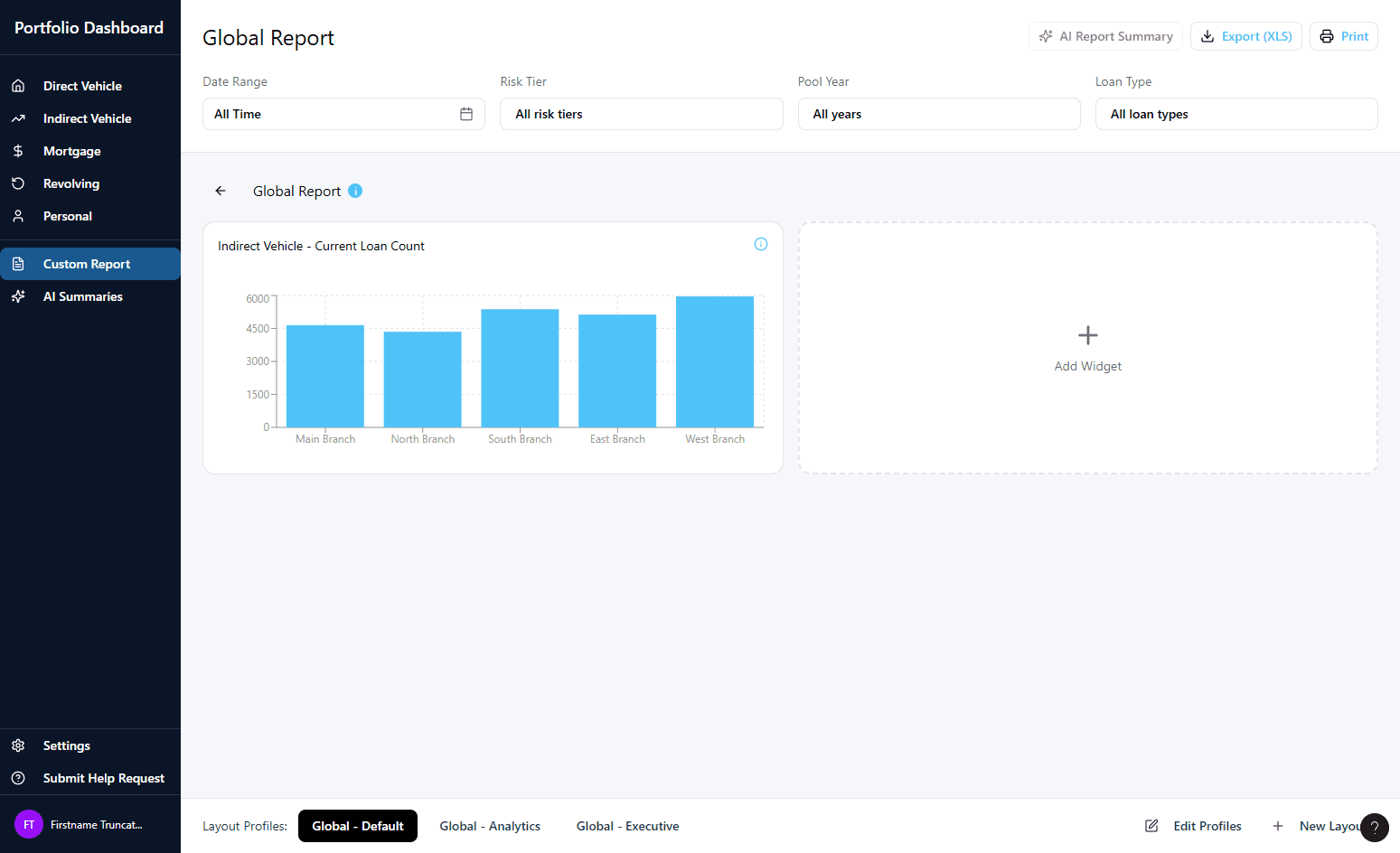
Version 1A (My prototype)
Version 1B
Structured and more guided reporting
Configuration menu & widget-driven customization
AI assistance, not automating the workflow
Highly flexible layout
Tableau-inspired module builder
Left panel and required configuration pop-up
AI deeply embedded
Concept Validation A/B Testing
I conducted concept validation sessions with two subject matter experts (SMEs), presenting both versions of the reporting redesign. Each SME reviewed the prototypes individually, providing feedback on usability, clarity, and alignment with organizational and user needs.
Key Insights
Guided and structured layout was preferred but flexibility was desired
Need for a clear ability to save reports outside of the tool
Generating summaries and forecasting were main AI usage preferences
Widgets were effective but menu-based configuration lacked feedback
Iteration
Whiteboarding
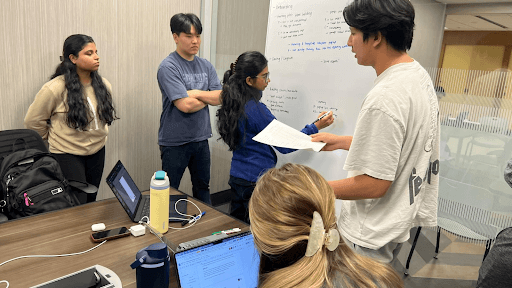
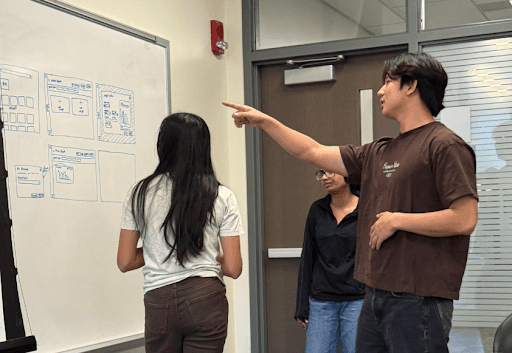
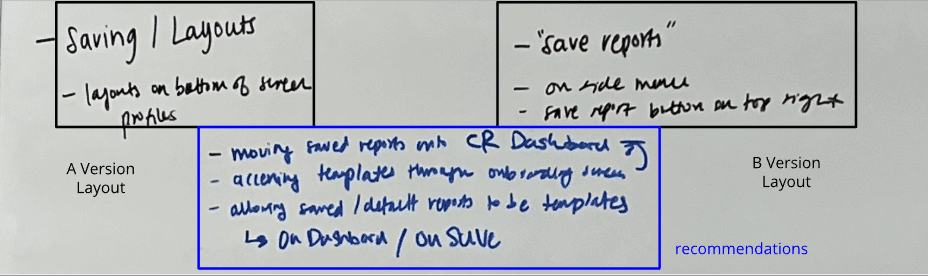
Due to the mixed feedback and preferences from our A/B testing, there was a need to synthesize and iterate. I co-led a whiteboarding session where validated concepts were mapped out, iterated, and refined visually based on our A/B testing takeaways. We went through each main concept and evaluated the pros and cons between versions 1A & 1B. We then decided on which features from each version and ideated new concepts to include in our iterated design.
Version 2.0
Due to the success using Figma Make to prototype our previous versions. I used it again to create an iterated prototype based on our testing and whiteboarding takeaways.
* Click to view *
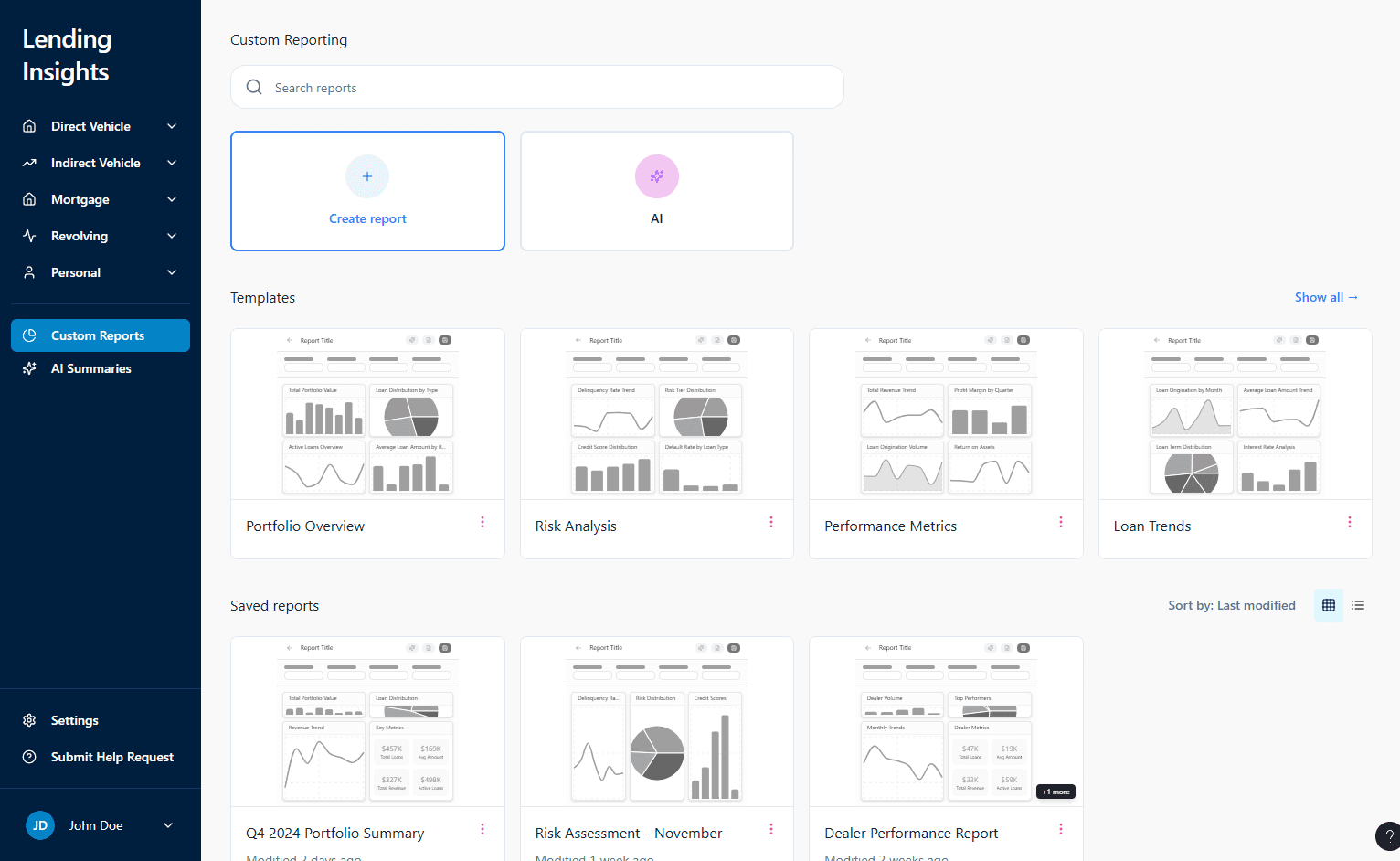
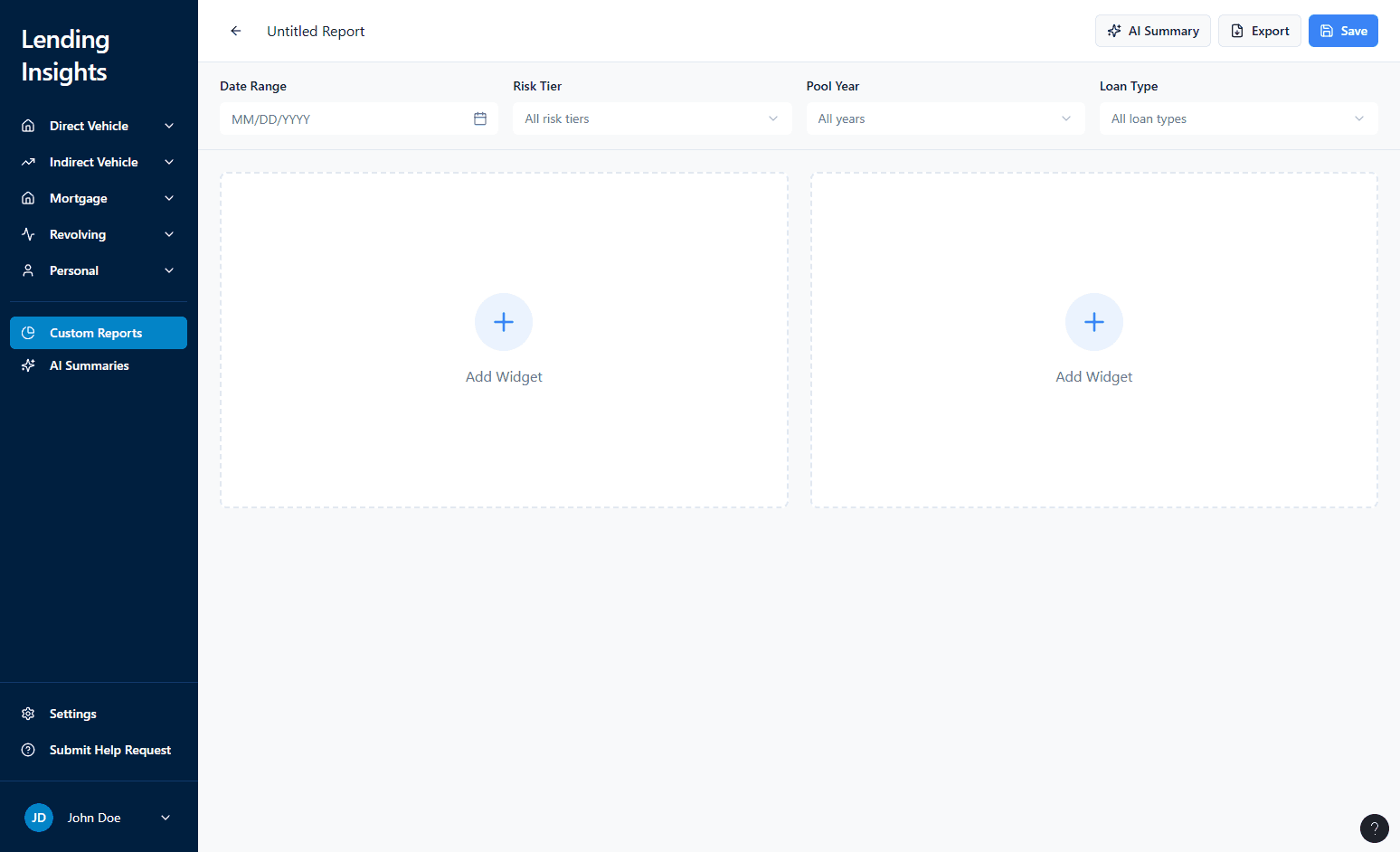
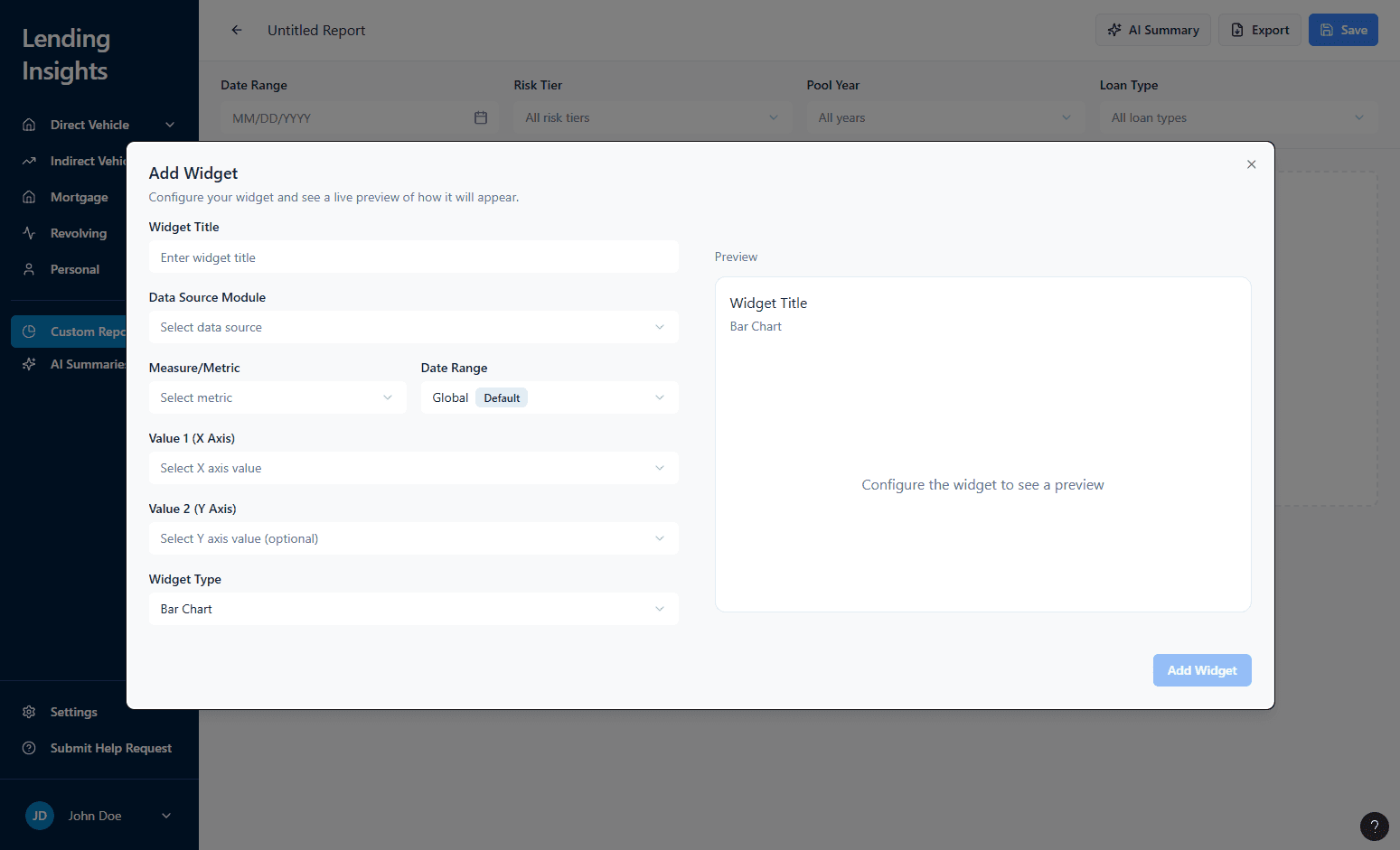
Custom Reporting Dashboard
Custom Report Builder
Widget Configuration
Pop-up
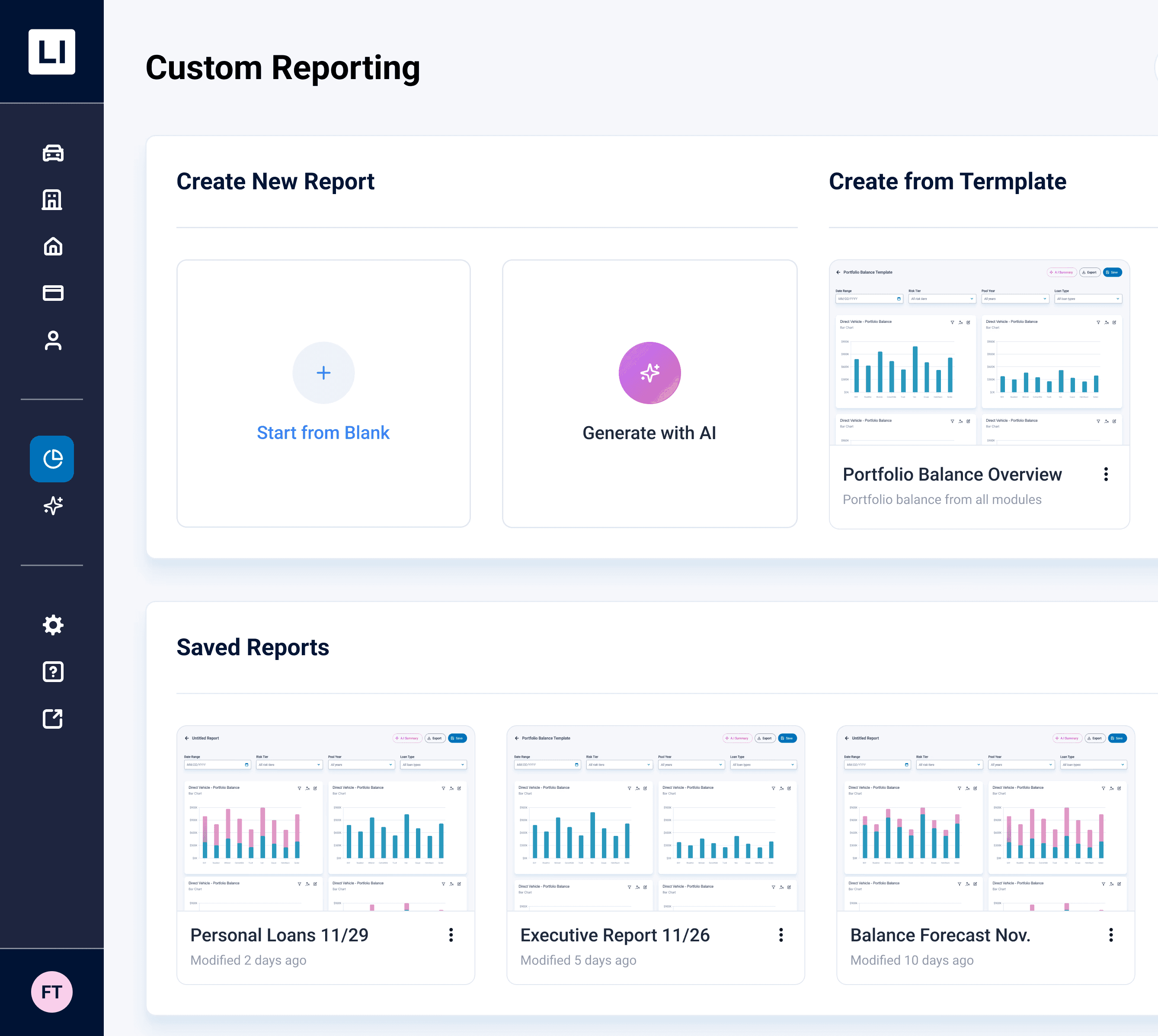
Create a new report from scratch or generate with AI
Pre-built templates
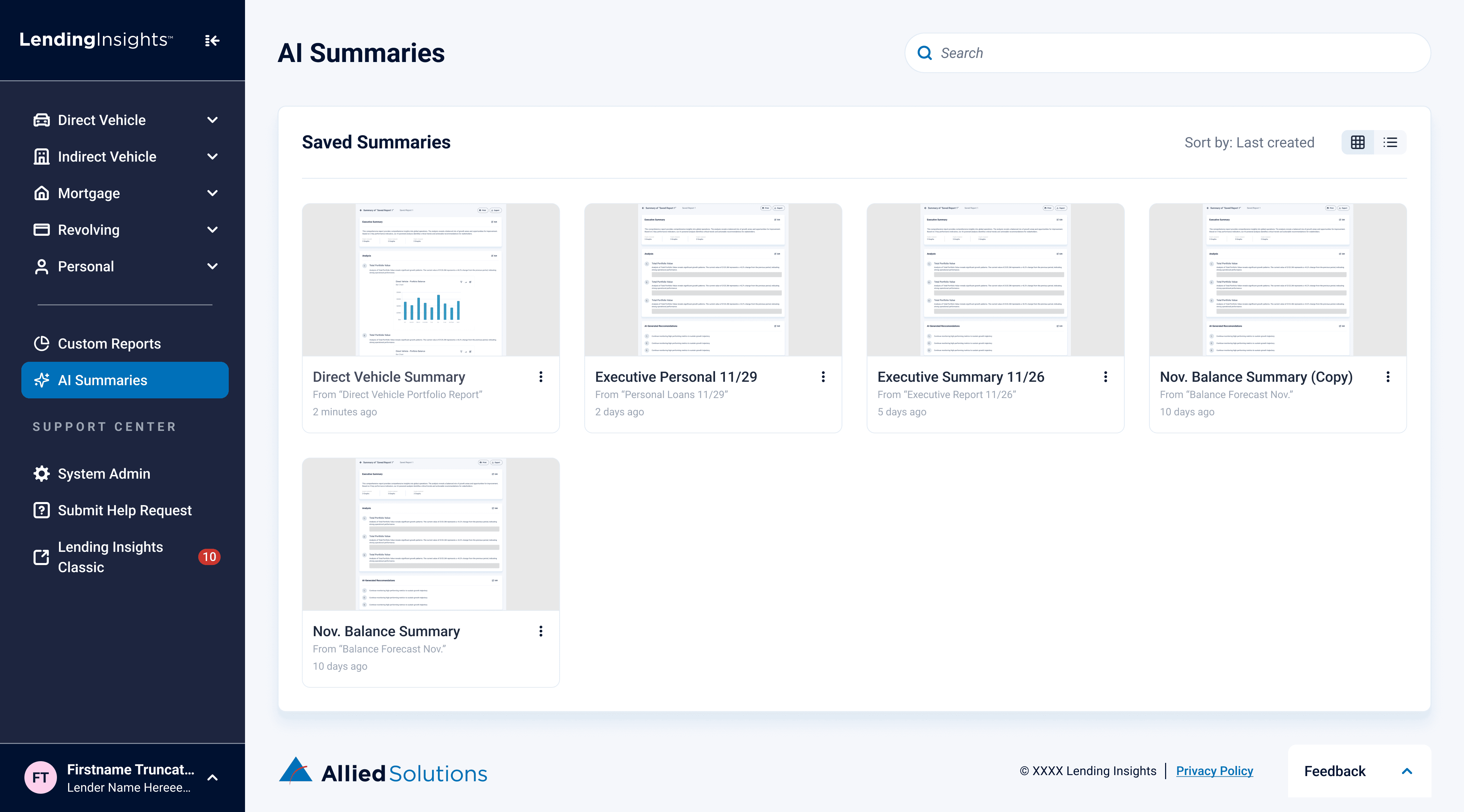
Saved reports with preview
Global filters
Report Title
Clear save and export
AI summary & forecasting
Appears on "Add Widget"
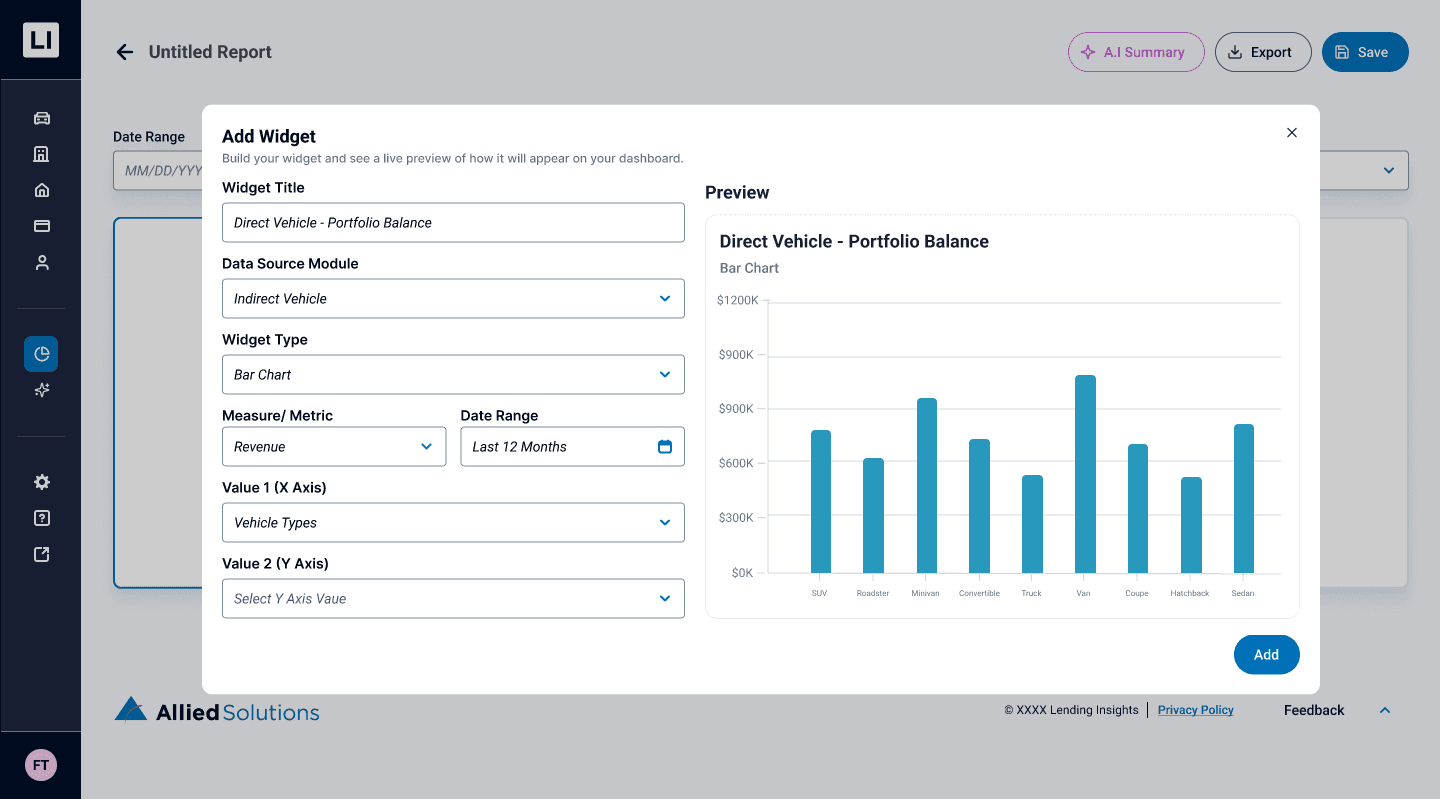
Live widget preview
Clear and organized configuration options
Usability Testing (2)
By interviewing the same three SME’s from previous testing and one new SME, the prototype was directly assessed in whether the revised design addresses all the pain points that were covered in earlier sessions. These would inform the final round of iteration.
Key Takeaways
Version 2.0 successfully addressed many of our previous pain-points and feedback. SME's were incredibly positive in their feedback and stated a preference for this version compared to previous. Testing identified a few small bugs and usability issues to iterate upon before the final design.
Final Designs
* Drag to view next screen *
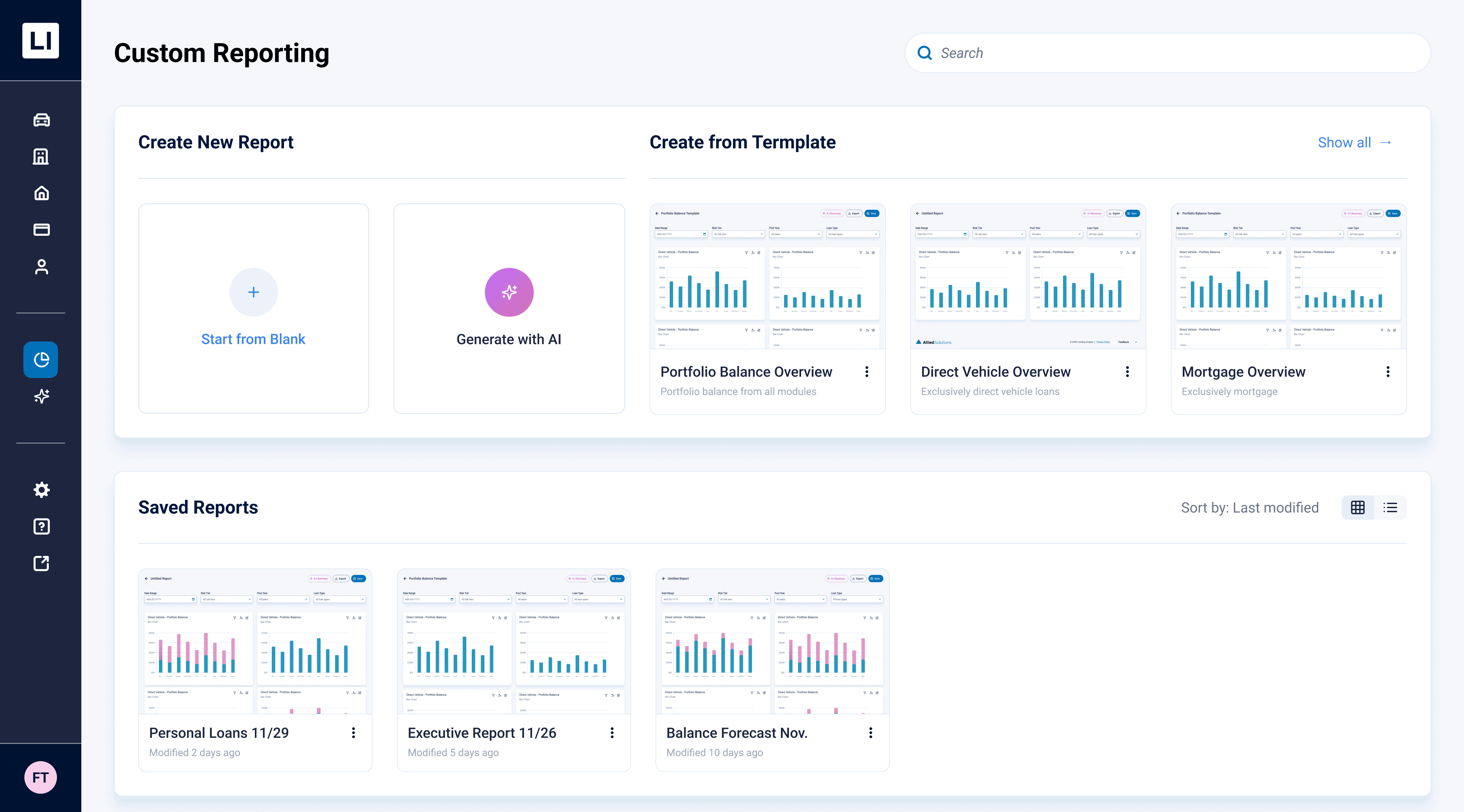
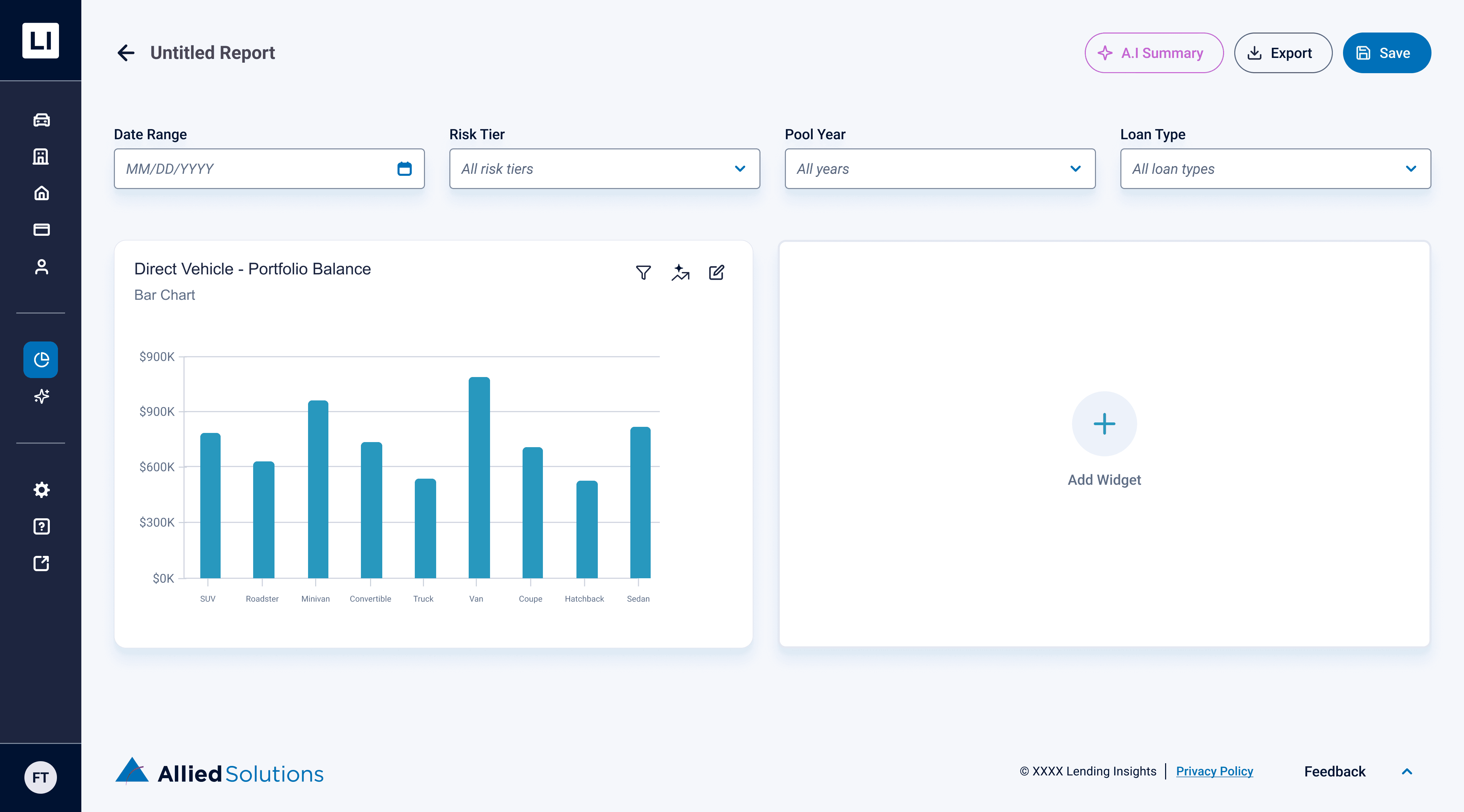
Custom Reporting Dashboard
Multiple Ways to Create
Offers flexibility to start from blank, convenience with templates, and leverages AI to generate reports.
Saved Reports
User feedback revealed a need for a clear global space to save reports.
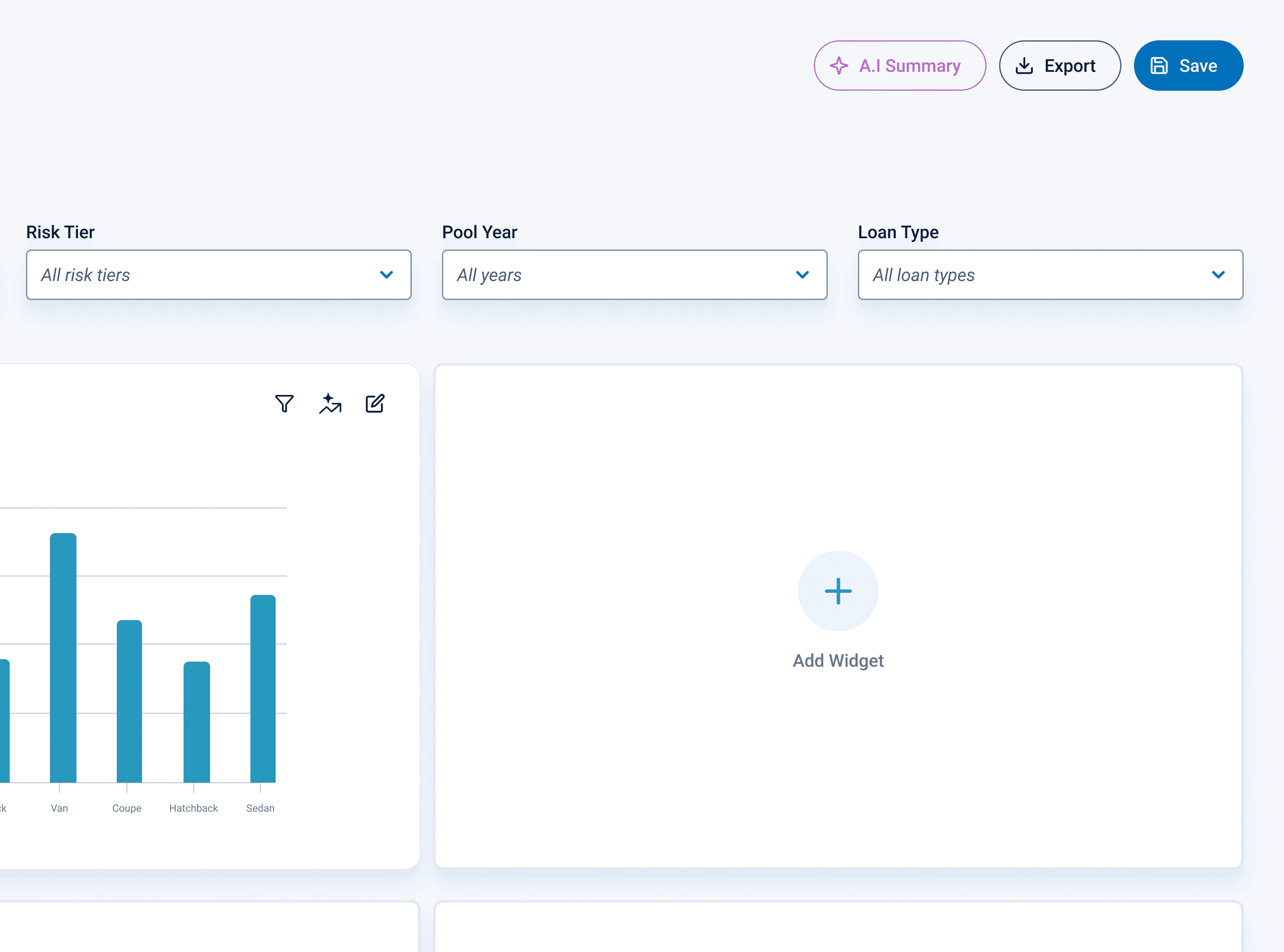
Custom Report Builder
Widget System
Provides the customization that users desire while still keeping a clear structure for the report.
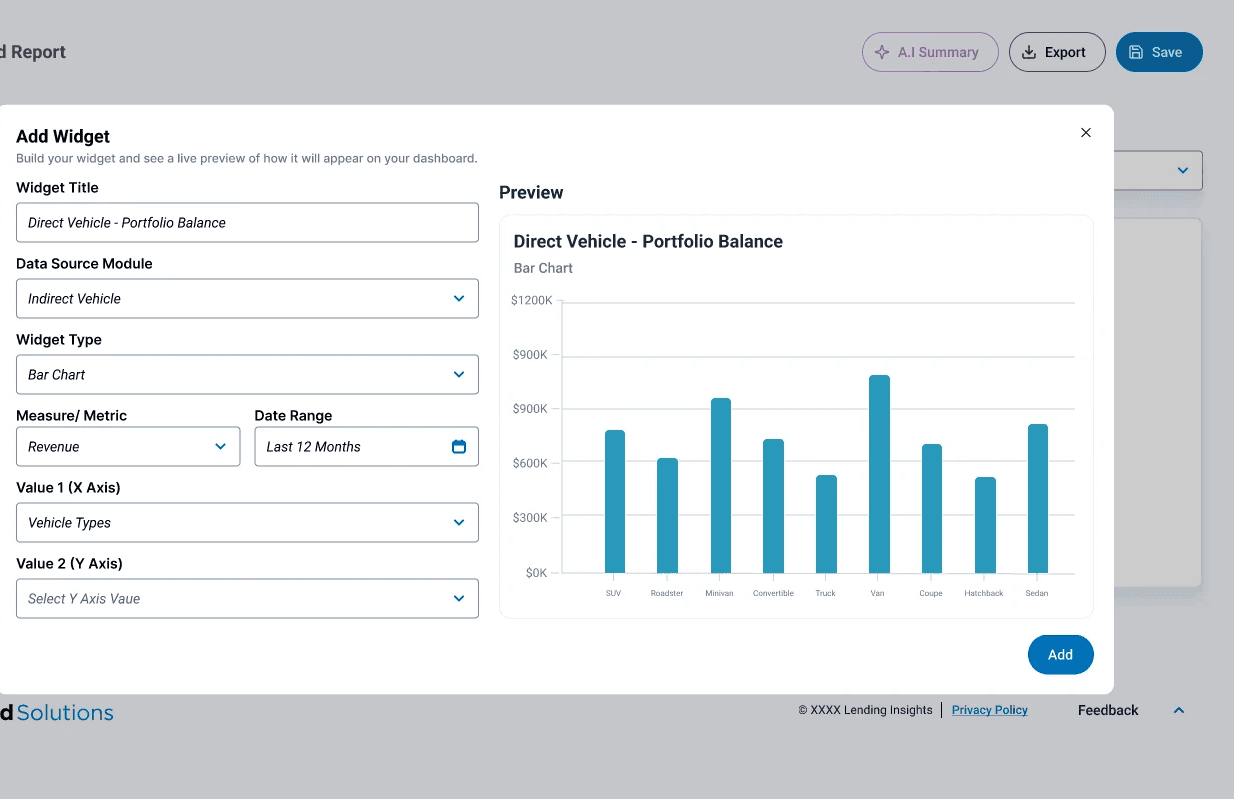
Widget Configuration
Live Preview
Offers real-time feedback to the user for every decision they make. No more second-guessing.
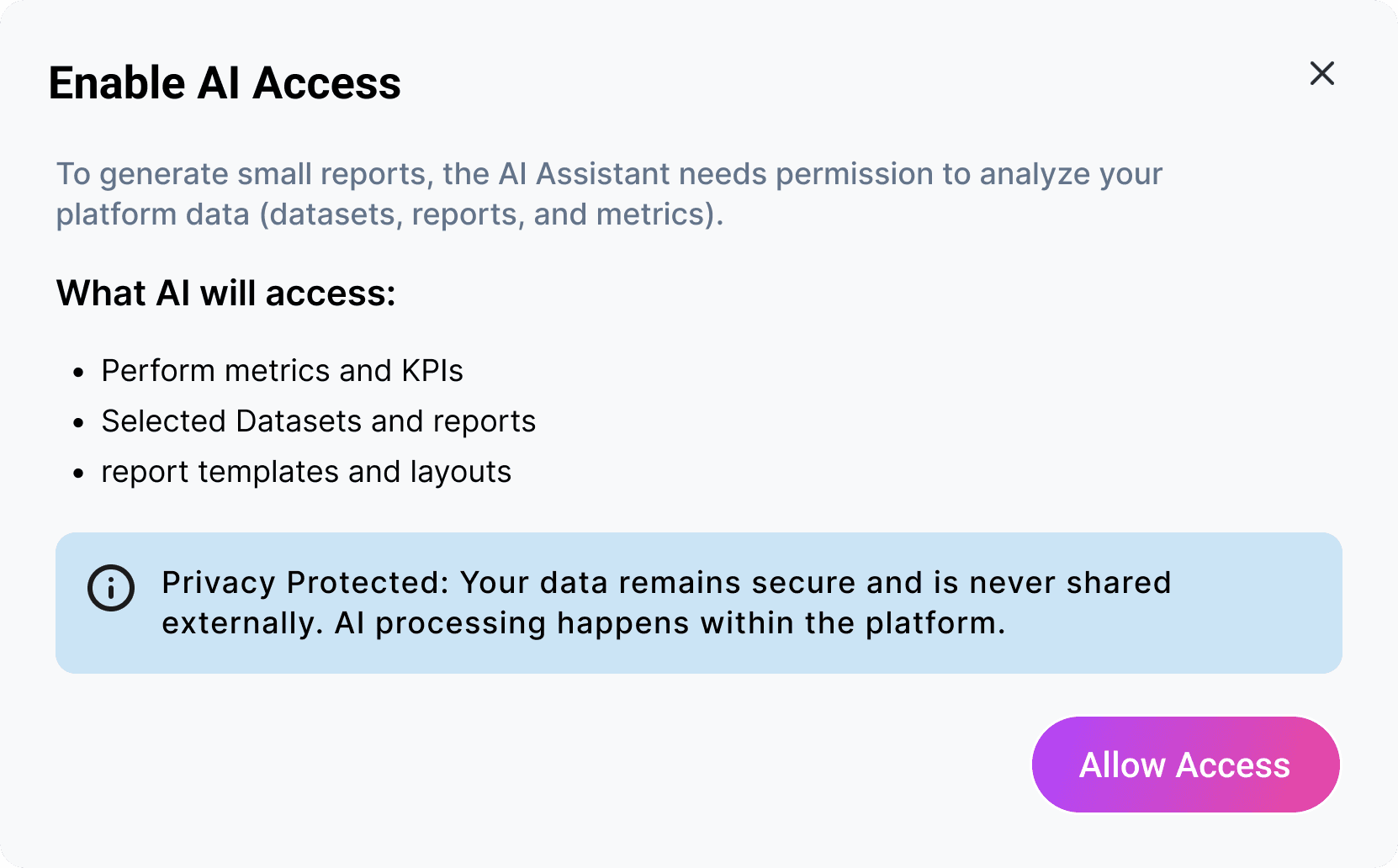
Artificial Intelligence
Transparency & Access
Usage of AI is always disclaimed and fully transparent in data access. Enabling is required before using any AI tools.
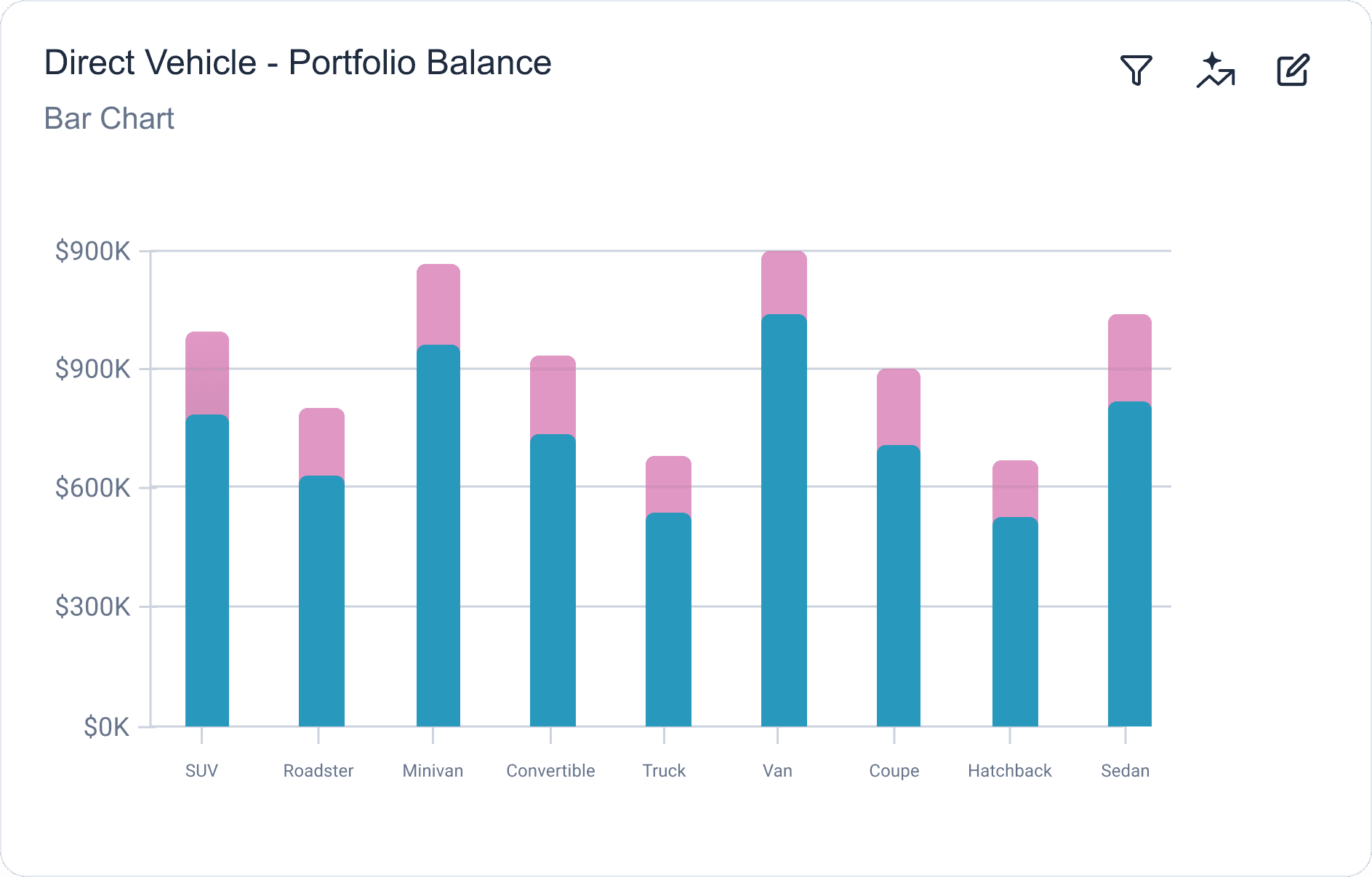
AI Forecasting
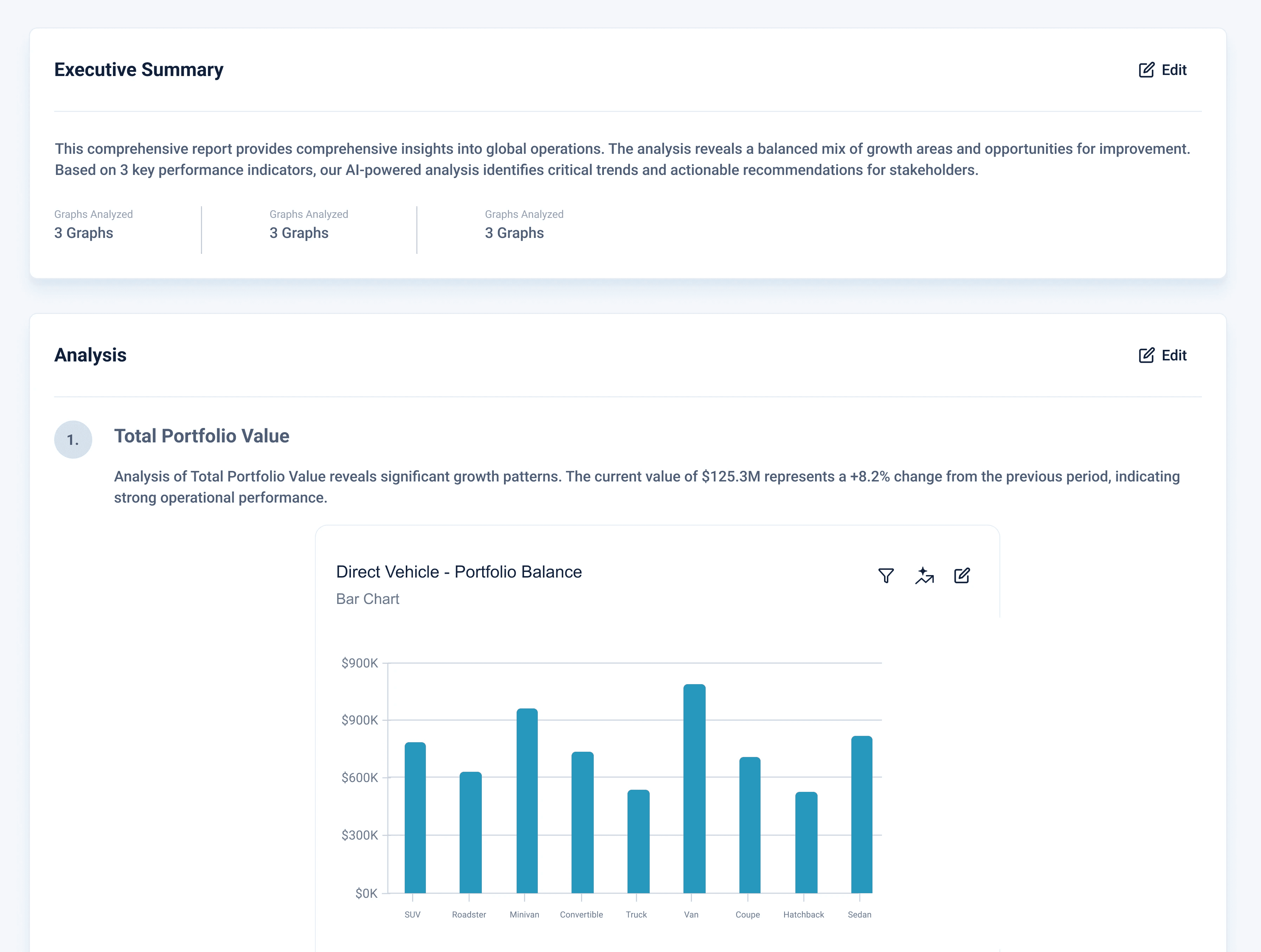
Select a predictive date range and utilize AI to forecast data right onto widgets.
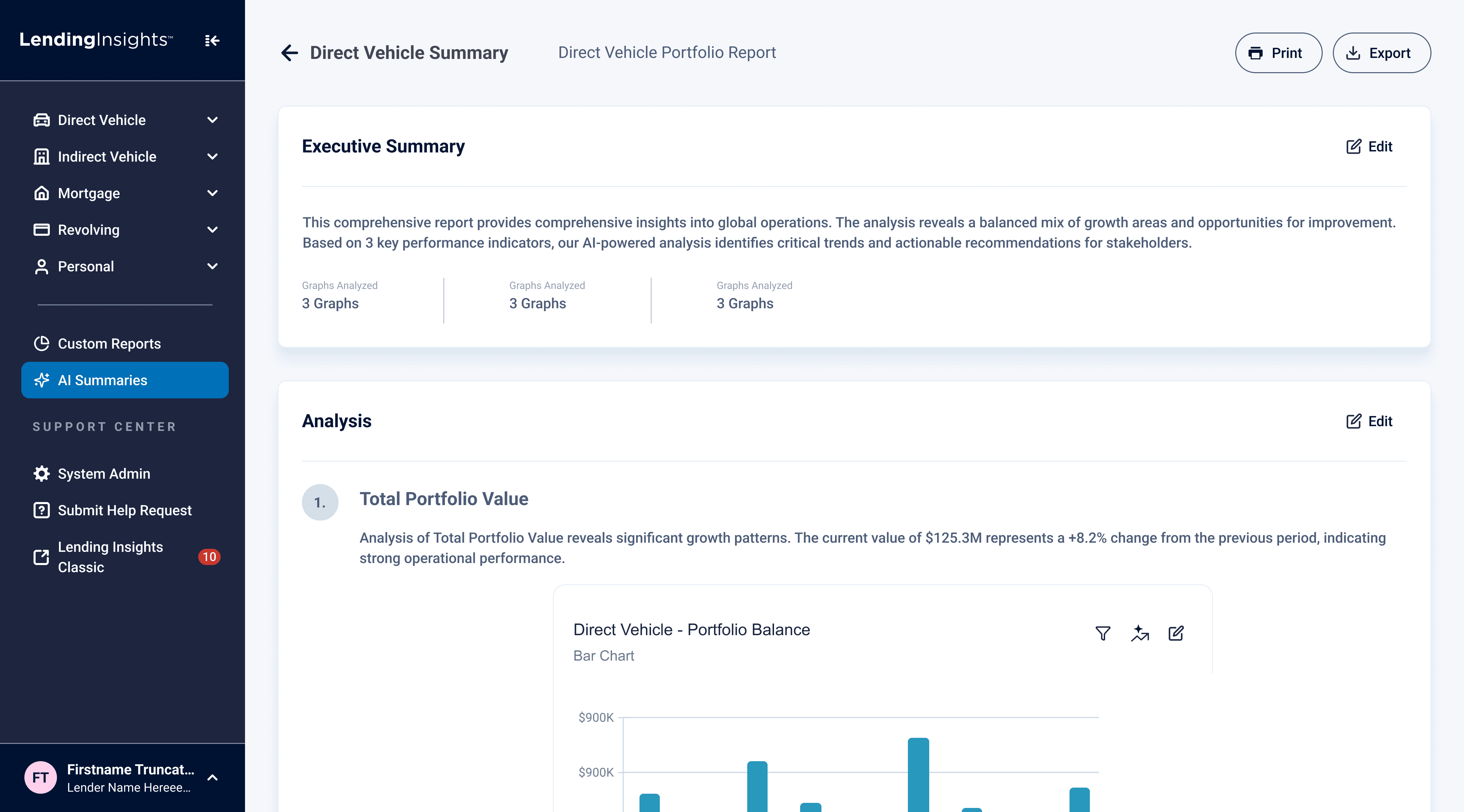
AI Generated Summary
Data References
Insights and analysis displayed right next to references to sourced data.
Editability
User feedback revealed the desire to edit generated sections.
Reflections
Incorporating AI into the Workflow
During this project, I identified the potential of Figma Make and pitched the idea to utilize it to our team. This decision was a big pivot which saved us time and ultimately allowed us to conduct three separate usability testing rounds compared to only one we originally planned.
Utilizing AI made it incredibly fast to take sketches and ideas and translate them into fully working prototypes. Although it takes time to prompt and sometimes it may not fully create what you wanted to convey, I found that the process was still faster and more effective to get quick testing in compared to traditional methods.
However, prototypes created by AI are definitely still very far away in quality compared to a human prototype. AI prototypes seem to always look a certain way and often times creates usability issues that humans would never miss. Figma Make to Figma Design is not flushed out yet, it often creates excessive containers and bugs out with auto-layout. This is why all of our final delivered prototypes were completely hand-designed.
Key learnings:
AI can be incredibly effective at translating sketches into early prototypes for testing. However, it does not have the capability to develop fully usable and high-quality designs that differ from AI-generated aesthetics.
User Research
Due to the multiple round of interviews and usability testing that we performed, I gained a lot of experience with user research this project.
From the feedback and guidance I received from our sponsors at Allied, I got to take a look at how much preparation really goes into performing user research. Questions, follow-up questions, probes, tasks, and what quantitative data is collected all need to be meticulously planned before testing starts.
Reducing bias and preventing leading questions is a lot harder than it seems. In our final usability testing round, I introduced the prototype as our "final design". At the time, I didn't think anything about it, but now I realize that stating something as "final" may lead people to think that there may be less flaws than reality. Turning off video cameras while observing participants preform tasks reduces the pressure or feeling of being watched.
Key learnings:
Effective user research and collection of data comes from preparation and intention behind decisions. There are so many little things that can lead to bias, but minimizing this bias can lead to more honest and translatable data.